Methodology
Our research consists of looking at the usage of words in Japanese books from the time period 1920-1960. We do this by use of sentiment analysis, the programming language Python, and a lot of trial and error. We do not use any form of AI at any point of our research. The website we used to get the books is Aozorabunko (hereafter simply "Aozora"), a website which contains the full text of many Japanese books.
Step 1: The dataset
We want to get all the books from the Aozora for our dataset. Naturally, this is much more than the limited timeframe we are looking into, namely from 1920 to 1960. Still, once we have everything from the website, filtering by year should be easy enough. At first, we tried to do this by scraping the entire website, but as we kept running into walls, we looked for another approach. After some searching, we found a website that explains how exactly someone scraped Aozora before us. After sending an email to the author of this website, Molly Des Jardin, she referred us to a github page explaining her steps. Following every step closely, we finally had our dataset downloaded locally. This was especially helpful as it ensured that we could continue our work without an internet connection.
Step 2: Cleanup
The dataset we got from the first step was quite extensive, and many of the columns in it were unimportant for our research purposes. The main one we were interested in is the column detailing the first release date of the book in question. The dataset took everything from Aozora itself, and dates were written in the Japanese style (e.g. 1923(大正12)年5月15日), which was hard to work with when we wanted to use these dates later on. Using the program Openrefine, cleanup was relatively easy, using simple regular expressions (regex). Considering 1920 to 1960 spans over 2 Japanese eras, Taisho and Showa, we needed to execute the 2 following regex:
- value.replace(/(昭和\d+)/,"").replace(/(大正\d+)/,"")
- value.replace("年","-").replace("月","-").replace("日","")
The first regex gets rid of the kanji signifying the Japanese era, and the second one gets rid of the kanji that indicate the year and the month, replacing those with a dash (-), and gets rid of the kanji indicating the day. This leaves us with dates in the form of xxxx-xx-xx, which is much easier to work with (with the date from before, this becomes 1923-5-15).
Openrefine can also be used to filter on specific dates, and then export a new dataset with that filter still intact. This was extremely helpful as it allowed us to narrow down our dataset to exactly the years we needed. That would also allow us to finally work with what we needed. In the end, between 1920 and 1960, the amount of books we have amounts to 1492.
Step 3: Words words words
Disclaimer: We did not use any form of AI. Everything we wrote was with the power of the human mind, and normal internet searches.
Another thing that we got from Step 1 is the full text of all the books on Aozora. Considering that there is a column in the dataset with the name of the file of each book, we used that to iterate over the dataset and read that file to get the text in our program. This was essential if we wanted to extract the words of each work.
Considering that we wanted to get the "score" of each word, we first needed a separate dataset which has all these scores. The one we used for this project is from this website. The way they got this is quite complicated, and we don't understand it either. The most important part is that we have an extensive dataset which is easy to use.
The first thing we did was to read the dataset with the pandas and the os python libraries:
import pandas as pd
import os

path_dic = os.path.sep.join(['dic', 'pn_ja.dic'])
df = pd.read_csv(path_dic, encoding="utf8, sep=":", names=["lemma", "reading", "pos", "score"])
df.to_csv("pn_ja_withColumnNames.dic", index=False)
Like this, we saved the dataset with column names. This isn't necessary, but it makes it easier to work with later on. It let us import only the needed columns (namely the "lemma" and the "score" columns), which overall made it clearer on more comfortable to work with.
For libraries, the main ones we used were MeCab, a library designed to work with Japanese texts, pandas, mentioned above, and Counter from collections, to count the frequency of elements in arrays. You can find the code we wrote here.
In the end, this added new columns to the already existing dataset we had, in which there were 30 of the most common scores and how often they were in the books, for each book in the dataset. Naturally, running this took quite some time, around a full day of running the program.
One thing to note is that in the dataset we used with the sentiment scores of the words, there are quite a few words that show up multiple times and also have different scores. This is due to different readings of words that slightly alter the definition of words, despite being written with the same characters. Our code completely disregards this aspect of the dataset, and therefore could lead to slightly different results if you would take this into account. The reason we didn't is because we aren't sure of how to handle this effectively. The creator of this dataset also has a couple of webpages describing how you would use the dataset correctly, which you can find here, but when we tried to adapt this code to our circumstances, we couldn't figure out how to get it to work. It's for that reason that we decided to write our own, less optimal code. That is certainly an aspect which could be improved upon in the future.
Step 4: Visualisation
For the visualisation of this data, we used the python library matplotlib, both for plotting the data and for animating it into gif form. We chose to go for an animation simply because there would be too many graphs if we wanted to plot everything for each year (that would be 120 graphs). The way of doing this is relatively straightforward. Firstly, because of the way our code was written, the new columns in the dataset weren't split up nicely. This can be done easily with Openrefine:
value.replace("np.float64","").replace(", ((","* "").replace("(","").replace(")","").replace("[","").replace("]","")
Then for the plotting, we first read the csv file with pandas, as we can simply read the columns with matplotlib and plot them against eachother. Again, the full code can be found here
This was only for the nouns, but we wanted this for the adjectives and verbs as well. To do this, we simply ran the code again after editing the necessary components (for example, taking the columns with verbs instead of nouns). After running that 3 times, we got the following gifs:
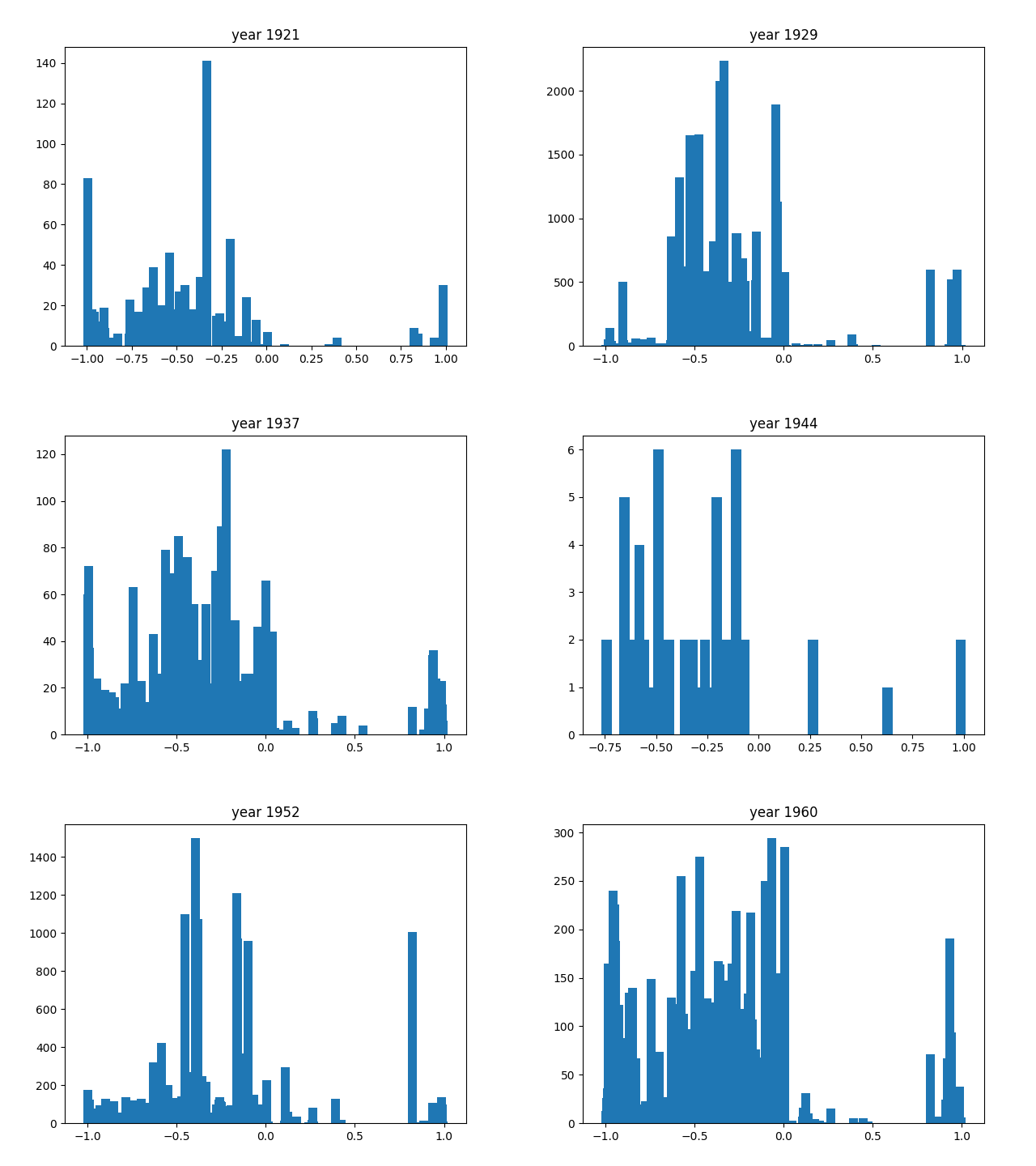
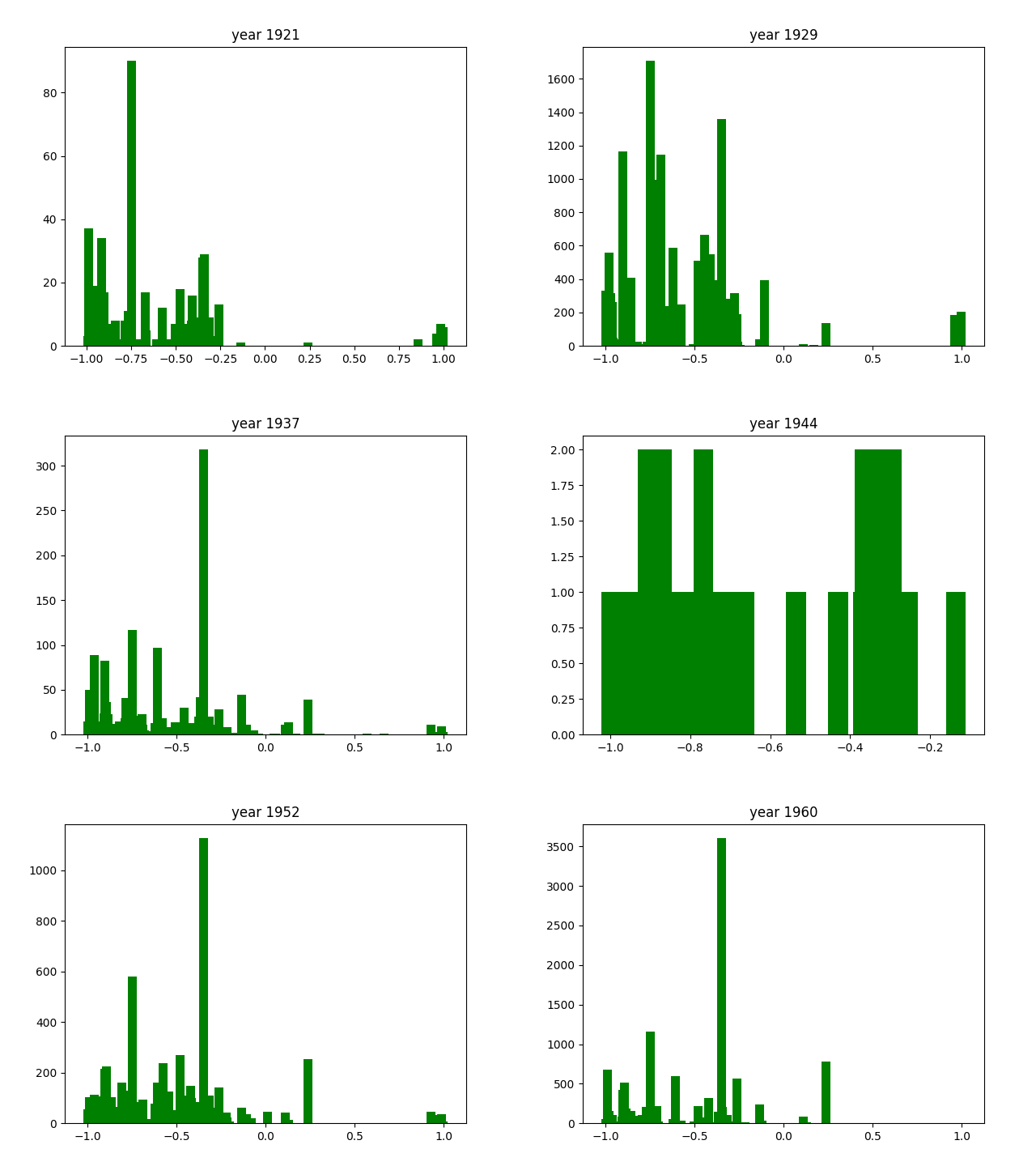
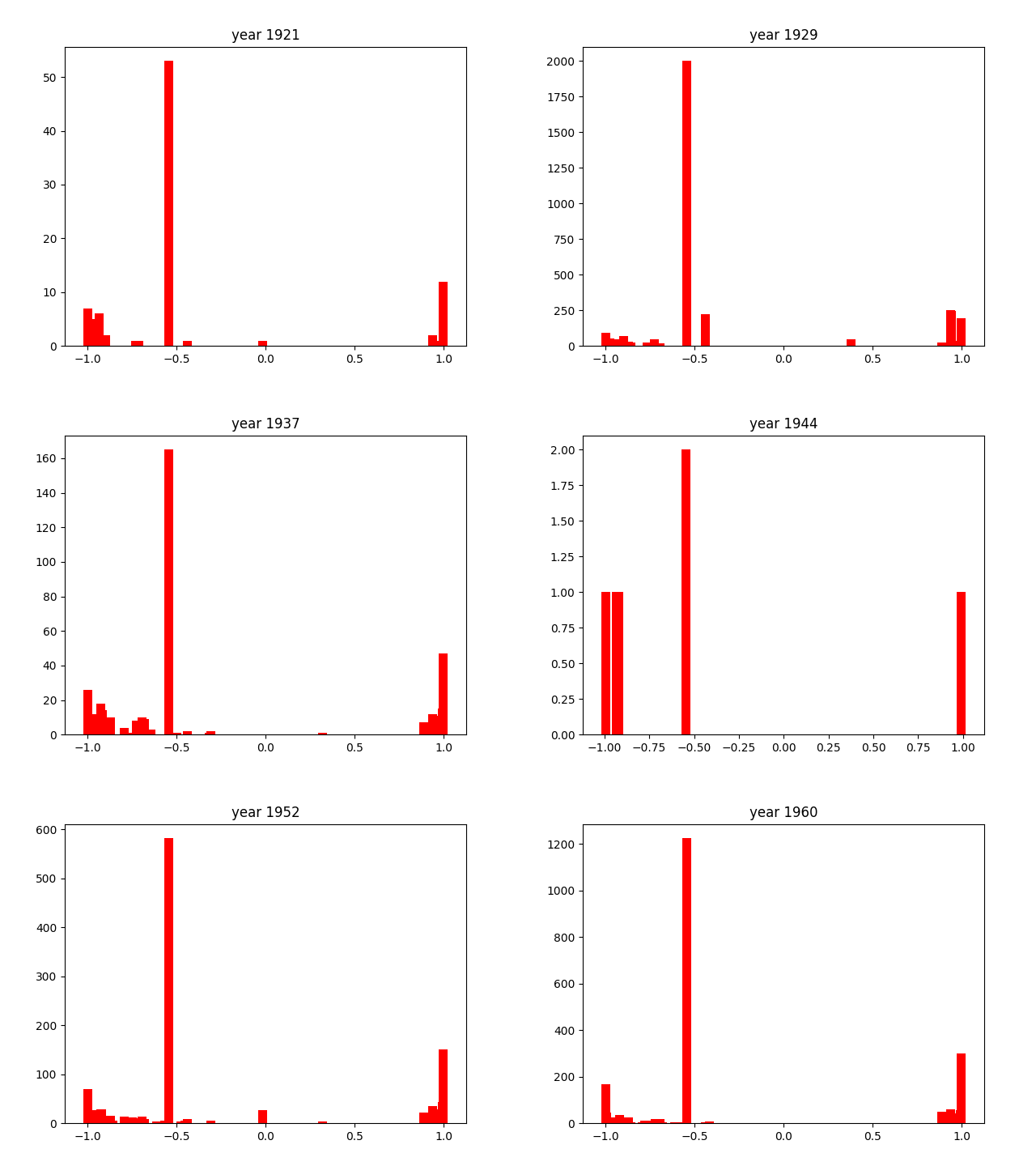
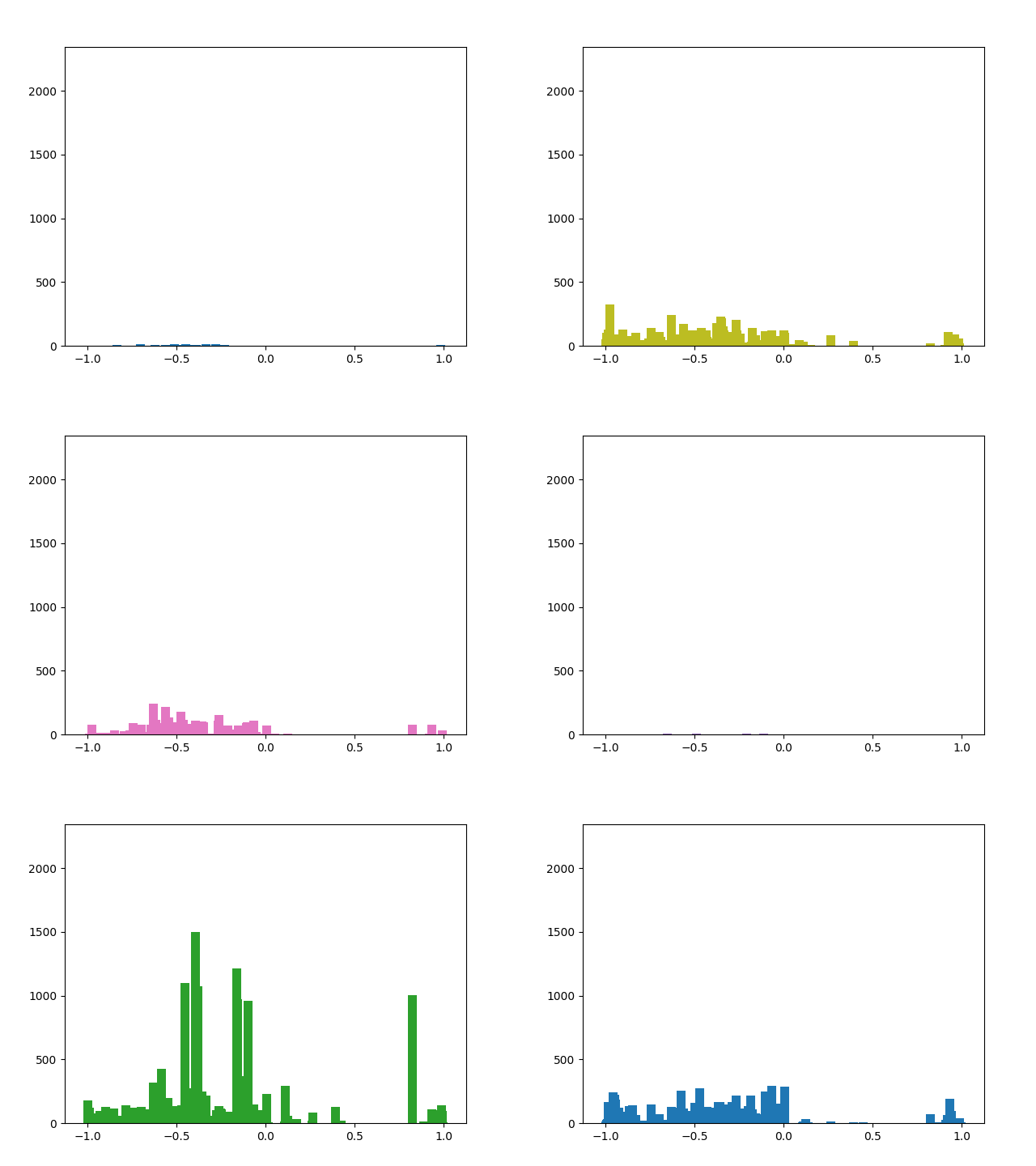
And we're done!
As you can see, the axes of the plots change constantly. This is because each year has a different amount of books, and therefore also a different amount of data. We did it this way because otherwise, the outliers would dominate the graph and make it much harder to see the other years with little publications. Below, you can find a failed experiment that shows why we went with the other approach.